Custom DTF Transfers
HOW IT WORKS
Step 1 — Upload Your Art
Send us your PNG, JPG, or PDF. We print exactly what you design — no surprises.
Step 2: We Print in Full Color
Ultra‑vibrant, stretch‑tested. Your colors stay loud.
Step 3: Press & Go
290–305°F for 12-15 seconds. Press, instant peel, and your shirt is ready to rock.
Rolling Gangsheet Builder
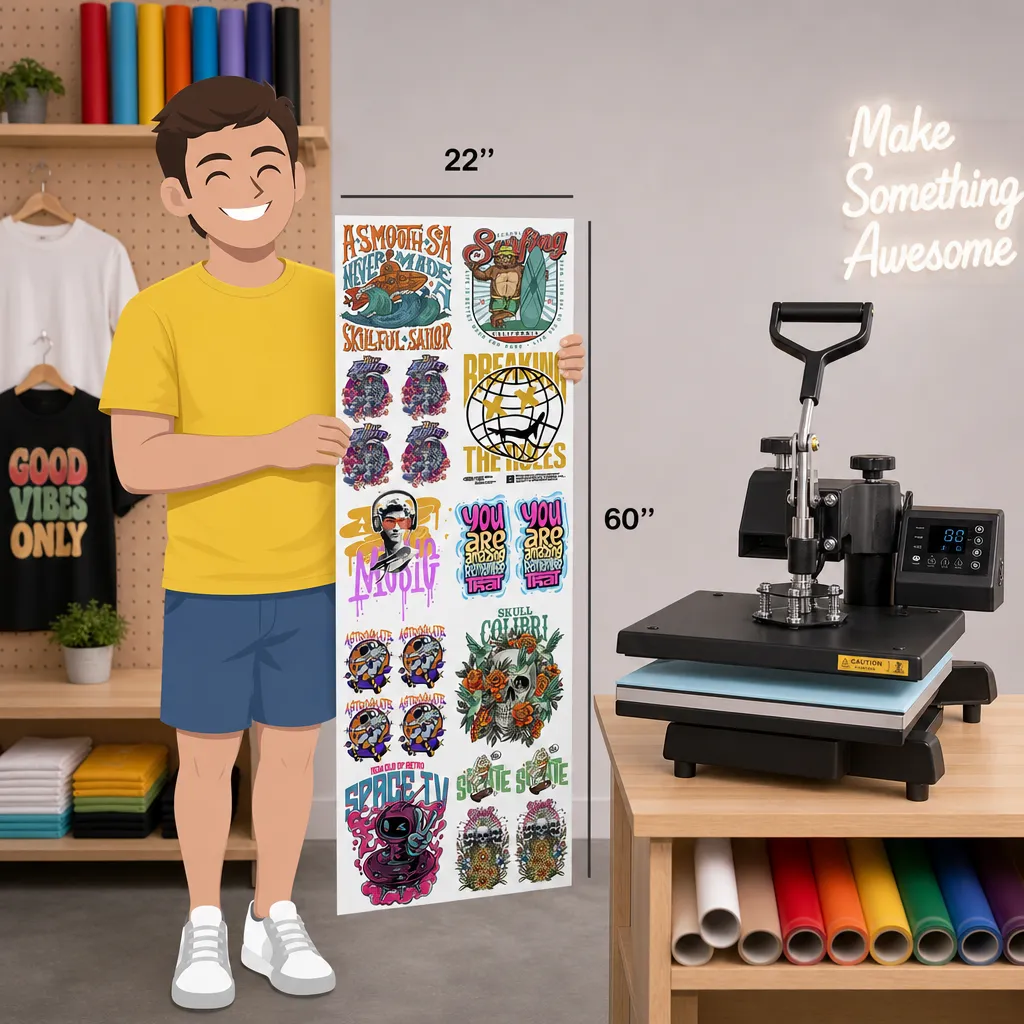
Description: Build your gangsheet on the fly — drag, drop, resize, and stack your designs. Perfect for quick orders, last‑minute drops, and creators who want full control.
Why it hits:
- Live preview builder
- Length grows as you add
- Perfect for multi‑design orders
- Clean, sharp, premium output
Why Choose Designs By CJ, LLC
Ultra‑Vibrant Colors
Your artwork hits with maximum saturation and clarity.
Durability
Crack‑resistant, stretch‑tested, built for real wear.
Fast Turnaround
No BS Pricing
Straightforward, transparent, and fair.
Small Business Owned
Real people. Real quality. Real accountability.
What file types do you accept?
PNG, JPG, PDF. 30o DPI PNG Transparent backgrounds recommended.
What press settings should I use?
290–305°F for 10–15 seconds. Pre-press garment for 5-10 secs to remove mositure. Medium pressure. Can be peeled instantly. Repress again for 5-10 secs.
What is your turnaround time?
Same‑day or next‑day printing depending on order time.
What size should my gang sheet be?
Use the full width of the sheet (22.6 inches) and stack your designs vertically. Your height can be as long as you need.
Can I mix different designs on one gang sheet?
Absolutely — fill your sheet with as many designs as you want. That’s the whole point of ganging.
Do you offer refunds or reprints?
If there’s a print defect on our end, we reprint it. We don’t refund for low‑resolution or incorrect artwork uploads.
What if my transfer isn’t pressing correctly?
Most issues come from:
-
Low pressure
-
Wrong temperature
-
Not pre‑pressing the garment
-
Not repressing after peel
Follow our recommended settings and you’ll get clean results.
 Designs by CJ delivers premium DTF transfers built for brands, creators, and small businesses. Quality first. No shortcuts.